
Reference

Explore Sugebola Match Markets

e888 places Sugebola football, badminton, and basketball selections in one match-focused area, so you can read the available market before adding it to your slip.

Football marketsBadminton selectionsBasketball eventsMatch status
e888 Explore Sugebola Match Markets
e888 Browse Sugebola Before Selecting

Browse Sugebola Before Selecting

Sugebola is our match-selection title for football, badminton, and basketball events rather than a reel game or dealer table. You open an event, read the market label, choose one available outcome, and check the selection in your slip before confirming it. The screen keeps event status close to the market list, which helps when schedules change. Rather than attaching an unverified studio

name, we show the displayed Sugebola category and rules on the event page. This makes the format easy to separate from celebsroulette or Fish Hunter.


MARKET DETAILS

Check Sugebola Market Signals

Sugebola works through match markets, not spin features or table rounds. We keep the useful details close to the selection area: the sport, event pairing, current market state, and your chosen outcome.

e888 Sport-first event pages
EVENT VIEW

Sport-first event pages

Each Sugebola event begins with the sport and match pairing, so you can tell whether you…

e888 Visible selection status
MARKET STATE

Visible selection status

Market availability is shown beside the Sugebola selection list.

e888 Choice before confirmation
SLIP CHECK

Choice before confirmation

Your selected Sugebola outcome appears in the slip for a final read.

SELECTION FLOW

Set Sugebola Choices Clearly

A clear Sugebola flow starts with the event page, then moves to the market label and your selection slip.

Open one event Start by opening a single Sugebola fixture rather than scanning…
Read the market label Market labels explain the type of outcome attached to a…
Check slip details After selecting an outcome, use the slip to compare the…
Watch event status An event status can affect whether a Sugebola market remains…
FORMAT CLARITY

Read Sugebola Format Details

Sugebola is presented as a match-market format, so slot-style return and volatility labels do not describe how its selections work.

01

Game type

Sugebola is a sports selection format built around football, badminton, and basketball events. It differs from routine reel titles because you read a match market and choose an available outcome instead of starting a spin or joining a dealer table.

02

Volatility label

Volatility is not a Sugebola measure because it is commonly used for slot formats. For this title, focus on the displayed event, market condition, and selection wording, which describe the choice you are considering.

03

Supported devices

You can open Sugebola from the mobile lobby or desktop lobby after completing the account path. The match page keeps the sport, fixture, and selection slip together, allowing you to check the same core details on either screen size.

04

Access region

Sugebola availability depends on local law. Where local law permits, the lobby can show available football, badminton, and basketball events; the event list may change as regional access conditions and market status change.

PHONE MATCH PATH

Open Sugebola On Your Phone

Mobile Sugebola keeps the practical route short: log in, open the lobby tile, choose a sport, and read the fixture page before adding a selection.

Phone browser access
Lobby-to-fixture path
Visible selection slip
Desktop account match
e888 mobile gaming
MATCH HELP ROUTE

Check Sugebola Help Paths

When a Sugebola selection does not appear as expected, begin with the event page and compare its current status with the entry in your slip. Our account-help route is useful after phone verification if you cannot reach the lobby, while the cashier path is separate from match questions. Keep the fixture name and market label ready when asking for help, because those details identify the exact Sugebola screen. We direct each issue toward account access, selection status, or a displayed rule question.

Team online

Selection status check

Use the event page first when a Sugebola choice is unavailable or no longer displayed. Compare the fixture status with your slip and note the market label. Those two details help us separate an event-state change from a screen-loading issue.

Account access path

If Sugebola does not open after login, revisit the phone verification step in your account path. Once verification is complete, return to the lobby and select Sugebola again. This checks account access before treating the issue as a match-market problem.

Rule wording question

For a question about a Sugebola market, send the fixture name and the exact market wording shown on screen. Our help path can then locate the displayed rule context rather than giving a broad answer that may not fit your selected event.

CLEAR MARKET RECORD

Inspect Sugebola Fair Play Signals

Sugebola gives you several visible checks before you confirm a selection: the sport category, match pairing, market label, selection slip, and event status.

Displayed market rules

Sugebola puts the market wording beside the choices it describes. Read that wording before selecting, because it is the direct context for the event outcome shown in your slip and is more useful than a general sports label.

Fixture identification

The match pairing on a Sugebola event page helps you verify that your selection belongs to the intended fixture. Check the displayed sport and pairing together before confirmation, particularly when the lobby contains several events from the same competition.

Selection slip record

Your slip repeats the selected event and market label for a final comparison. We provide this record before confirmation so you can spot a mismatch, remove a choice, or return to the event page without guessing which fixture was selected.

Phone verification

Clear phone verification comes before account access to the Sugebola lobby. This account step ties your login route to the number entered during setup and gives you a defined place to check when the lobby is unavailable after login.

Event-state display

A visible event state helps you understand whether a Sugebola market can still be selected. Check this display directly on the fixture page rather than relying on an earlier view, because match conditions can change while you browse other events.

Regional access wording

Sugebola availability depends on local law. Where local law permits, you can view the event list offered to your account. This wording keeps access conditions clear without suggesting that every market is available in every Indonesian location.

Compare Sugebola With Lobby Titles

Sugebola is the lobby choice for reading sports events and selecting from match markets.

SugebolaChoose Sugebola when you want football, badminton, or basketball event selections. Its main screen is organized around fixtures, market labels, and a slip, making it the relevant title when your focus is a match rather than a reel or table format.
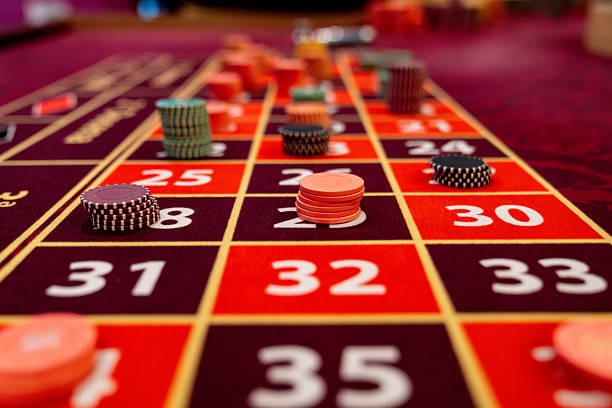
celebsroulettecelebsroulette is a separate roulette-focused lobby title, while Sugebola uses match listings and sports selections. Open Sugebola when you need to compare fixture details; use celebsroulette when you are looking for a roulette layout instead.
rutin99rutin99 appears as its own title in our lobby and does not replace Sugebola’s fixture-based format. The Sugebola tile is the clearer choice when you want to read football, badminton, or basketball market wording before making a selection.
rocketpotrocketpot is listed separately from Sugebola, so its lobby route does not use the same event-and-slip structure. For a sports fixture, open Sugebola and check the market label; for rocketpot, use its own title page and screen flow.
onlinebingoonlinebingo is a bingo title rather than a sports-market screen. Sugebola is the relevant choice when you want an event pairing, available match selections, and a visible slip. The two titles stay separate to keep their game formats clear.
Fish HunterFish Hunter is shown as a separate lobby title and does not use Sugebola’s sport categories. Open Sugebola for football, badminton, or basketball fixtures, where the event status and market wording are displayed before you choose.
Sports contextSugebola is the lobby route for match context across three configured sports: football, badminton, and basketball. That focus distinguishes it from the other named titles, whose tiles lead to different game screens and different interaction formats.
SUGEBOLA POINTS

Discover Sugebola Match Highlights

The useful parts of Sugebola are visible before confirmation: sport category, event pairing, market label, current status, selected outcome, and slip record.

Football category Football events are grouped under the Sugebola sport category, helping…
Badminton category Badminton appears as a distinct Sugebola sport context rather than…
Basketball category Basketball events use the same Sugebola path of sport category…
Event pairing The displayed pairing is the first detail to check before…
Current market status A current-status display gives context for whether a Sugebola selection…
Account return route After clear phone verification, your account can return through the…

Ask About Sugebola Access

These Sugebola questions cover the checks most useful before you open a fixture: sport categories, market labels, mobile access, account verification, and regional availability. We answer from the way the title appears in our lobby rather than treating it like a generic casino game. For a specific event question, keep the fixture name and displayed market wording available. That lets the account-help path identify the exact Sugebola screen you are asking about.

Sugebola on e888 is a match-market title for football, badminton, and basketball events. You open a fixture, read its displayed market label, choose an available outcome, and check that choice in your slip before confirmation. It is not a reel or dealer-table format.

Log in through your phone browser, open the lobby, and select the Sugebola tile. Choose a sport category, then open one fixture to view available selections. The slip remains close to the event screen, so you can check the pairing and market label on mobile.

Yes. Sugebola is configured around football, badminton, and basketball market context. Each sport leads to its own event listings, allowing you to identify the fixture before reading available market labels. The displayed event list can change with current market status and regional availability.

Check the fixture’s current status first, because an event-state change can affect available Sugebola selections. Then compare the event name and market label with your slip. If the issue remains, use the help path with those exact screen details for a more specific check.

Yes, clear phone verification is part of the account path before account access to the Sugebola lobby. Complete the displayed verification step, return to the lobby, and open the title again. This helps separate an account-access issue from a fixture or market-status issue.

Sugebola availability depends on local law. Where local law permits, your account can show the available football, badminton, and basketball event listings. Because availability can vary, check the displayed lobby and fixture status after you complete the account access path.

Sugebola is built around sports fixtures, market labels, and a selection slip. celebsroulette is a separate roulette-focused title in the lobby. Open Sugebola when you want football, badminton, or basketball event context; use celebsroulette when you want a roulette layout instead.